Description
Game Introduction
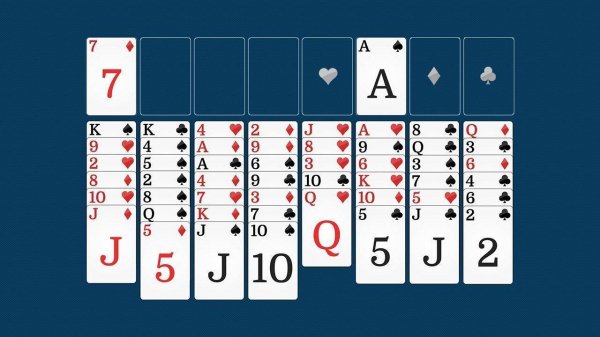
Classic Freecell Solitaire Puzzle is a card sorting game that builds on traditional solitaire rules. The game presents a tableau of eight columns of cards, with four empty free cells at the top of the screen. These free cells act as temporary storage, giving players more flexibility to rearrange cards compared to other solitaire variants. The main goal is to move all cards from the tableau to four foundation piles, one for each suit, in ascending order from Ace to King. Because of the free cells, nearly every deal is solvable, which makes the game fair and rewarding. The clean, simple graphics and smooth animations help players focus on the puzzle without distractions. This game is a calm yet engaging experience that encourages planning and foresight. It is ideal for players who enjoy thoughtful challenges and want a game that is easy to learn but offers depth.
How to Play
To play Classic Freecell Solitaire Puzzle, players start with a shuffled deck dealt into eight tableau columns. Four empty free cells are located at the top of the screen. Players can use these cells to temporarily hold one card each when rearranging columns. Cards can be moved between tableau columns to build descending sequences of alternating colors. For example, a red 7 can be placed on a black 8. The ultimate objective is to move all cards to the four foundation piles, one for each suit, in ascending order from Ace to King. Players may move a card to a foundation pile at any time if it is the next card in the sequence. Because free cells are limited, careful planning is important. An undo button allows players to reverse the last move if needed. The game ends when all cards are in the foundation piles, resulting in a win.
Game Features
Classic Freecell Solitaire Puzzle features clean, elegant graphics with a simple design. Smooth animations make each card move feel natural. The controls are intuitive, allowing players to drag and drop cards easily. An undo button helps correct mistakes without restarting the game. The game automatically tracks progress and saves the current session. It works smoothly on both desktop and mobile browsers. No download or registration is required, so players can start playing instantly. The game is designed to be accessible and enjoyable for all ages.
Tips for Success
Classic Freecell Solitaire Puzzle is perfect for players who enjoy thoughtful puzzles. It combines the relaxation of solitaire with the satisfaction of solving a strategic challenge. The game is easy to learn but offers depth that keeps players coming back. Practice regularly to improve planning and foresight. Use the free cells wisely to maximize your options. Take advantage of the undo feature to learn from mistakes. Play online for free anytime to sharpen your skills.